
How to Design Aluminum Parts for Precision CNC Milling

How to Design Aluminum Parts for Precision CNC Milling
Aluminum is one of the most commonly machined materials in modern manufacturing.
From aerospace brackets and medical equipment housings to robotics components and industrial automation assemblies, aluminum offers an excellent balance of strength, weight reduction, corrosion resistance, and machinability.
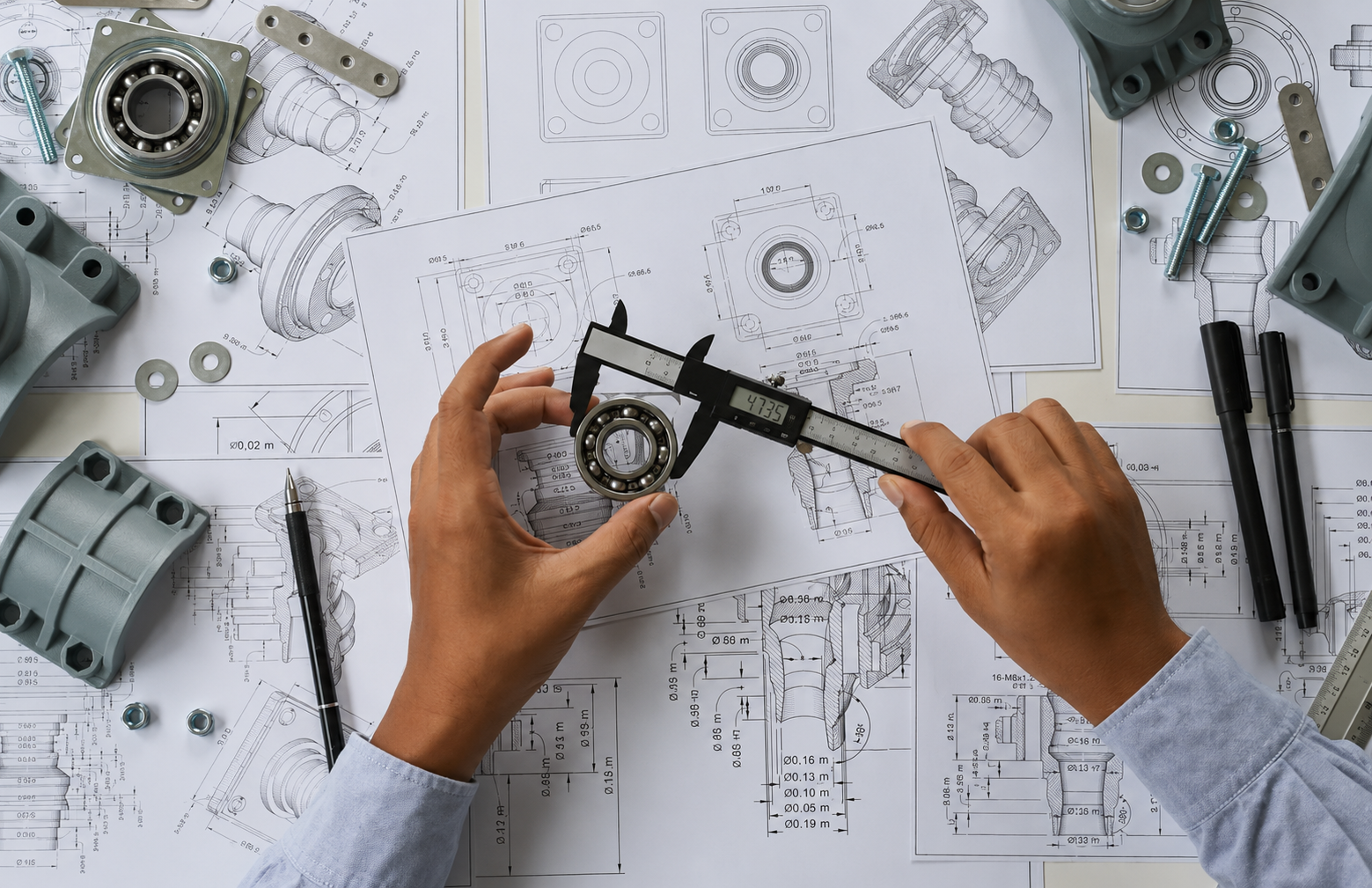
However, many aluminum parts that look perfectly reasonable in CAD become difficult, expensive, or even impossible to manufacture efficiently once they reach the machine shop floor.
At Brightstar Prototype CNC Co., Ltd., we review hundreds of aluminum part drawings every month. One of the most common reasons for quotation delays, unexpected costs, and production issues is not the machining process itself—it is the original part design.
Good design can reduce machining cost by 20–50%, shorten lead times, improve dimensional stability, and significantly increase yield rates.
This article shares practical Design for Manufacturing (DFM) guidelines based on real CNC milling experience to help engineers create aluminum parts that are easier, faster, and more economical to manufacture.

Why Aluminum Is Ideal for CNC Milling
Aluminum alloys are widely used because they machine much faster than stainless steel or titanium while still providing excellent mechanical properties.
Popular grades include:
| Material | Characteristics | Typical Applications |
|---|---|---|
| 6061-T6 | Versatile, economical, easy to machine | General industrial parts |
| 7075-T6 | High strength | Aerospace components |
| 5052 | Excellent corrosion resistance | Marine applications |
| 2024 | High fatigue resistance | Aircraft structures |
For precision CNC milling, 6061 and 7075 remain the most common choices because they offer excellent dimensional stability and surface finish quality.
Yet even the best aluminum alloy cannot compensate for poor part design.
The Hidden Cost of Designing Only for Function
Many engineers focus exclusively on product functionality.
The CAD model meets the performance requirement, passes assembly checks, and satisfies structural calculations.
Unfortunately, manufacturing considerations are often overlooked.
A design may include:
• Extremely deep pockets
• Ultra-thin walls
• Sharp internal corners
• Unnecessary tight tolerances
• Features inaccessible to cutting tools
All of these increase machining complexity.
The result is usually higher cost, longer lead times, and greater risk of quality issues.
The best CNC-machined parts are not simply functional—they are designed for manufacturing from the beginning.
Rule 1: Avoid Excessively Thin Walls
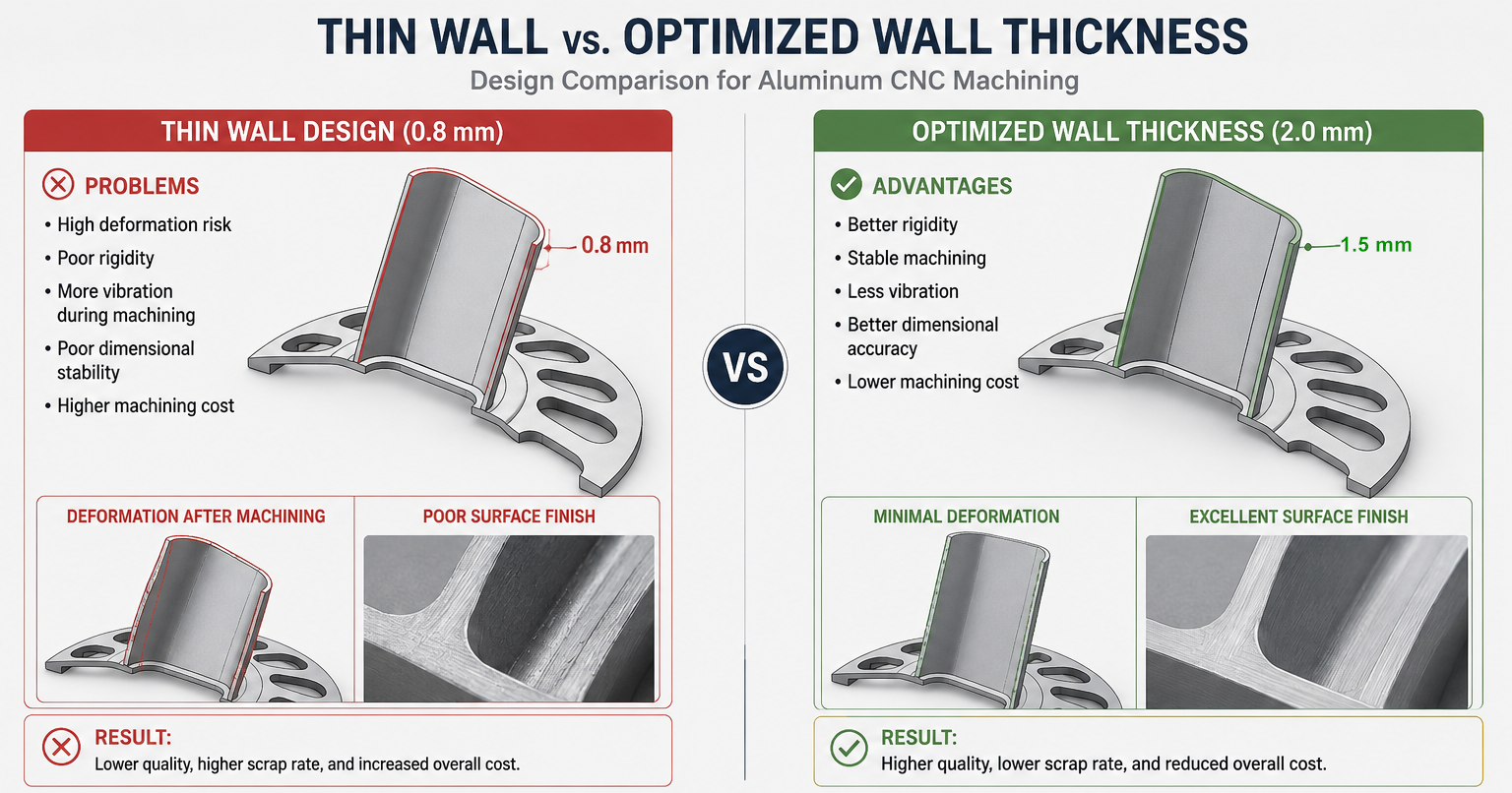
Thin walls are one of the most common causes of machining problems.
Aluminum is relatively soft compared with steel. During machining, cutting forces can easily deform unsupported sections.
A wall may measure correctly during rough machining but move slightly after finishing, causing dimensional variation.
Real Example
A customer submitted a 7075 aluminum electronics housing with side walls only 0.8 mm thick.
The design looked attractive and lightweight.
However, simulation predicted significant deformation during finishing.
After DFM review, the wall thickness was increased to 2.0 mm.
The result:
• Improved rigidity
• Better dimensional stability
• Reduced machining time
• Lower scrap rate
Recommended Wall Thickness
| Feature | Recommendation |
|---|---|
| General walls | ≥1.5 mm |
| Structural walls | ≥2.0 mm |
| Large unsupported walls | ≥3.0 mm |
Engineers often save far more money by adding 0.5 mm of material than by attempting to machine extremely thin features.
Rule 2: Design Internal Corners with Realistic Radii
A milling cutter is round.
Therefore, perfectly sharp internal corners cannot be machined directly.
Yet many CAD models still include square internal corners.
When this occurs, machinists must:
• Use extremely small cutters
• Reduce feed rates
• Increase machining time
• Perform secondary operations
All of which increase cost.
A simple internal radius can dramatically improve manufacturability.
Recommended Practice
Instead of: 90° sharp corner
Use: R0.5 mm, R1 mm, R2 mm, or larger whenever possible.
Larger corner radii allow larger cutting tools, which means faster material removal and better tool life.
Rule 3: Limit Pocket Depth
Deep cavities create several manufacturing challenges.
The deeper the pocket becomes:
• Tool deflection increases
• Vibration becomes more likely
• Surface finish degrades
• Tool breakage risk rises
A common design mistake is creating very deep narrow pockets.
For example: Pocket Width = 10 mm, Pocket Depth = 80 mm
This requires an unusually long cutter that behaves almost like a flexible fishing rod.
Precision becomes difficult to maintain.
Practical Guideline
Keep pocket depth below four times its width whenever possible.
A 10 mm wide pocket should ideally remain under 40 mm deep.
Rule 4: Do Not Over-Specify Tolerances
One of the most expensive words on a drawing is "±0.01 mm."
Many features simply do not require such precision.
This dramatically increases inspection and machining time.
Better Approach
Apply tight tolerances only where necessary.
Examples: Critical bearing fits, precision locating surfaces, assembly interfaces.
General dimensions can often use: ±0.05 mm, ±0.1 mm, or even larger.
Rule 5: Consider Tool Access During Design
A feature that cannot be reached by a cutting tool cannot be machined efficiently.
This sounds obvious, yet inaccessible geometry is surprisingly common.
Examples include: Undercuts, deep narrow slots, hidden internal features, sidewalls blocked by surrounding geometry.
Before releasing a design, ask: "Can a cutting tool physically reach this area?"
If the answer is uncertain, a quick DFM review can save substantial redesign effort later.
Rule 6: Use Standard Hole Sizes
Custom hole diameters often require special tooling.
Standard drill sizes are faster and more economical.
Instead of specifying: Ø6.73 mm
Consider: Ø6.8 mm or Ø7 mm if functionally acceptable.
This reduces setup complexity and tooling costs.
Rule 7: Design for Reliable Fixturing
Every CNC part must be held securely during machining.
If a design provides insufficient clamping surfaces, manufacturing becomes more difficult.
Large flat reference surfaces are valuable because they simplify fixturing and improve repeatability.
When designing complex aluminum parts, always consider: How will the part be held? How many setups are required? Can the workpiece remain stable during machining?
Rule 8: Minimize Multiple Setups
Each additional setup introduces: More labor, more alignment risk, longer lead times.
A design requiring five separate setups will inevitably cost more than one requiring two.
Modern 5-axis CNC machining can eliminate many secondary setups.
Designers who understand this often achieve both lower cost and higher precision.
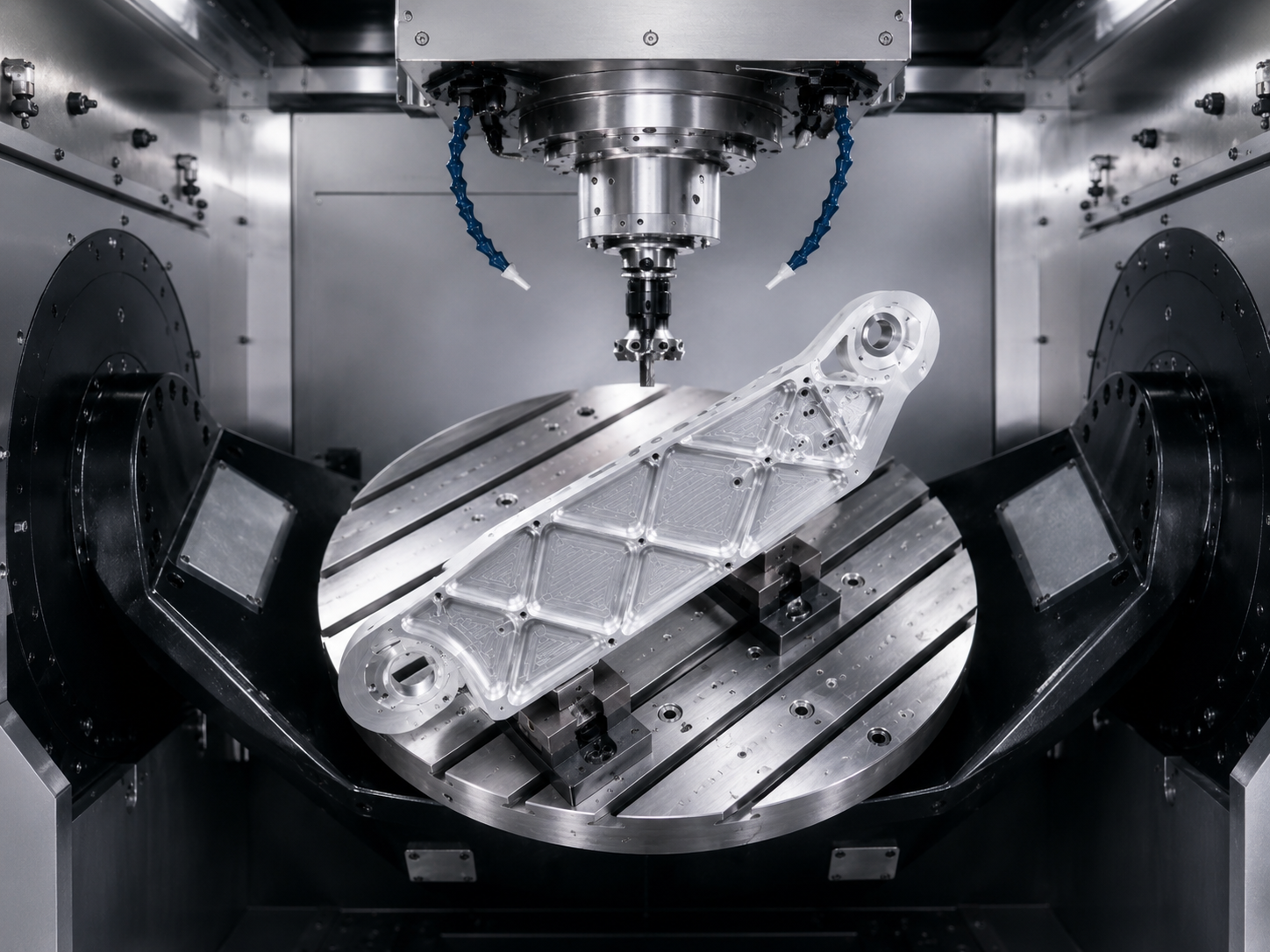
5-axis CNC machining of a lightweight robotic arm aluminum bracket
Rule 9: Use 5-Axis Machining Strategically
Many engineers assume 5-axis machining is always expensive.
In reality, it often reduces overall cost.
For complex aluminum components containing: Angled holes, compound surfaces, multi-sided features.
5-axis machining can complete operations in a single setup.
Benefits include: Better accuracy, shorter lead times, reduced fixture costs.
This is particularly important for aerospace, robotics, and automation equipment components.
Rule 10: Avoid Decorative Geometry That Adds No Value
Complex cosmetic features frequently increase machining time without improving functionality.
Examples include: Excessive pocket patterns, decorative grooves, unnecessary 3D surfaces.
Before adding a feature, ask: Does it improve performance? If not, consider simplifying it.
Rule 11: Understand Material Removal Ratios
Some aluminum parts remove more than 80% of the starting material.
This is common in robotic arm brackets, automation equipment structures, and lightweight industrial components where both rigidity and weight reduction are critical.
A high material removal ratio is achievable, but it requires careful process planning.
Engineers should expect: Longer machining cycles, additional stress management, more sophisticated fixturing.
When designing lightweight parts, balance weight reduction against manufacturing complexity. Removing too much material may reduce rigidity and increase machining challenges.
Rule 12: Involve Your CNC Supplier Early
The most successful projects involve manufacturing feedback before production begins.
A 15-minute DFM discussion can often identify: Cost reduction opportunities, tolerance optimizations, better material choices, faster machining strategies.
Many redesigns that occur after production starts could have been avoided entirely through early collaboration.
A Simple Design Change That Saved 28% Machining Cost
One automation customer submitted a complex 6061 aluminum mounting bracket.
The original design contained: Multiple sharp internal corners, deep narrow pockets, several unnecessary tight tolerances.
After DFM review, the following changes were made: Internal corners changed to R1.5 mm, pocket depth reduced by 20%, non-critical tolerances relaxed.
| Metric | Original Design | Optimized Design |
|---|---|---|
| Machining Time | 100% | 72% |
| Tool Consumption | High | Moderate |
| Scrap Risk | Medium | Low |
| Cost | 100% | 72% |
The component function remained unchanged, but manufacturing efficiency improved dramatically.
Conclusion
Designing aluminum parts for precision CNC milling is not simply about creating geometry that works.
It is about creating geometry that works efficiently.
The best CNC-machined components balance performance, manufacturability, cost, and quality.
By considering wall thickness, corner radii, pocket depth, tool accessibility, fixturing, tolerances, and machining strategy during the design phase, engineers can avoid many of the most common production challenges.
A well-designed aluminum part is easier to manufacture, easier to inspect, and ultimately more successful in the marketplace.
FAQ
What is the best aluminum alloy for CNC milling?
6061-T6 is generally the most versatile and cost-effective option. For higher strength requirements, 7075-T6 is often preferred.
How thin can aluminum walls be machined?
Walls below 1 mm are possible but become increasingly difficult and costly. A minimum of 1.5 mm is recommended for most applications.
Why are sharp internal corners difficult to machine?
Milling cutters are round, making perfectly square internal corners impossible without additional operations.
Is 5-axis machining always more expensive?
Not necessarily. For complex parts, 5-axis machining often reduces setups and lowers total manufacturing cost.
Can DFM reduce CNC machining cost?
Yes. In many cases, simple DFM improvements can reduce machining cost by 20-50% while maintaining the same functionality.
Ready to Reduce Machining Cost and Improve Manufacturability?
Many machining issues can be eliminated before production begins.
A quick DFM review often identifies opportunities to:
• Reduce machining cost
• Improve dimensional stability
• Shorten lead times
• Simplify fixturing
• Increase production yield
At Brightstar Prototype CNC Co., Ltd., we support customers in robotics, automation, medical devices, electronics, and industrial equipment with precision CNC machining and rapid prototyping services.
Whether you need a prototype, low-volume production, or ongoing manufacturing support, our team can help optimize your design for efficient machining.
Contact us today for a free DFM review and quotation.
Disclaimer
The information provided in this article is for general engineering reference only. Actual machining capability, tolerances, and manufacturing methods may vary depending on part geometry, material selection, equipment, and production requirements. Consultation with an experienced CNC machining supplier is recommended before finalizing production designs.